

Insta PLI
Upload financial statements in PDF or Excel and get instant Profit Level Indicator computations — 12 PLI ratios calculated in seconds with AI-powered data extraction.
Overview
Insta PLI eliminates the manual effort of extracting financial data and computing PLI margins. Simply upload a company's financial statements — PDF (including scanned documents) or Excel — and the system automatically parses revenue, costs, profits, and balance sheet items. Choose your computation mode, select the extraction approach, and receive a full PLI dashboard with 12 ratios including Operating Margin, Berry Ratio, ROCE, ROA, and more. An editable calculation worksheet lets you adjust figures on the fly with PLI ratios updating instantly.
Platform Screenshots
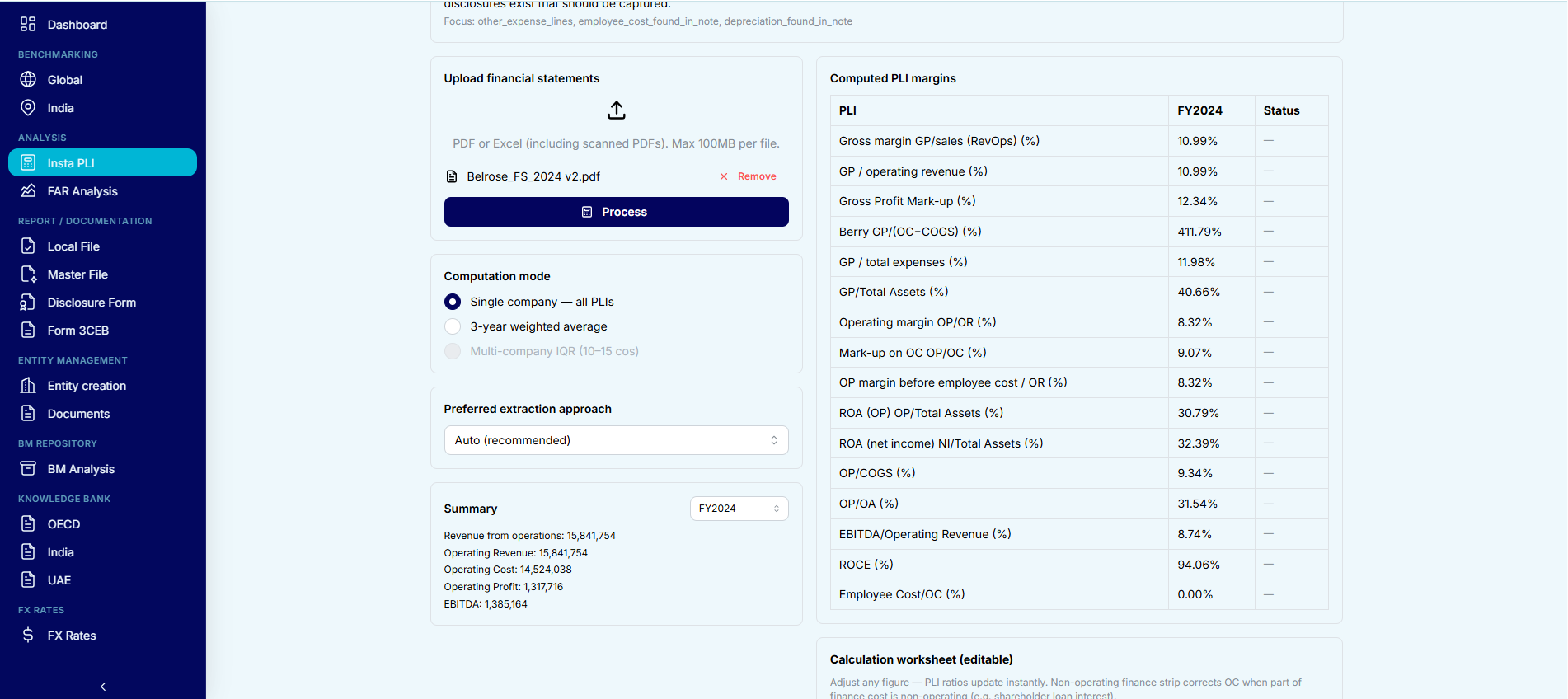
Upload a financial statement, choose computation mode and extraction approach, then view all 12 PLI ratios computed instantly.
Key Capabilities
PDF & Excel Upload
Upload financial statements in PDF (including scanned PDFs with OCR) or Excel format — up to 100 MB per file.
12 PLI Ratios
Instant computation of Gross Margin, Berry Ratio, OP/Sales, OP/TC, GP/Total Assets, ROCE, ROA, EBITDA margin, and more.
Multiple Computation Modes
Single company — all PLIs, 3-year weighted average, or multi-company IQR (10–15 comparables).
AI-Powered Extraction
Auto-detect and extract revenue, COGS, operating expenses, total assets, and other line items using AI parsing.
Financial Summary
View extracted financials — Revenue, Operating Cost, Operating Profit, EBITDA — by financial year before computing PLIs.
Editable Calculation Worksheet
Adjust any figure and PLI ratios update instantly. Non-operating finance strip corrects OC when part of finance cost is non-operating.