

AI Benchmarking Analysis
Upload your benchmark study file and let AI perform end-to-end comparability analysis — from search results and accept/reject decisions to output formatting and downloadable reports.
Overview
The AI Benchmarking module automates the entire benchmarking lifecycle. Upload an Excel extract from TP Catalyst, and the system runs AI-powered comparability analysis across all search results — classifying companies as accepted or rejected with OECD-aligned reasoning. Review IQR computations in real time, customise your output format, and download ready-to-use annexures, margin analyses, and benchmarking reports in a single workflow.
Platform Screenshots
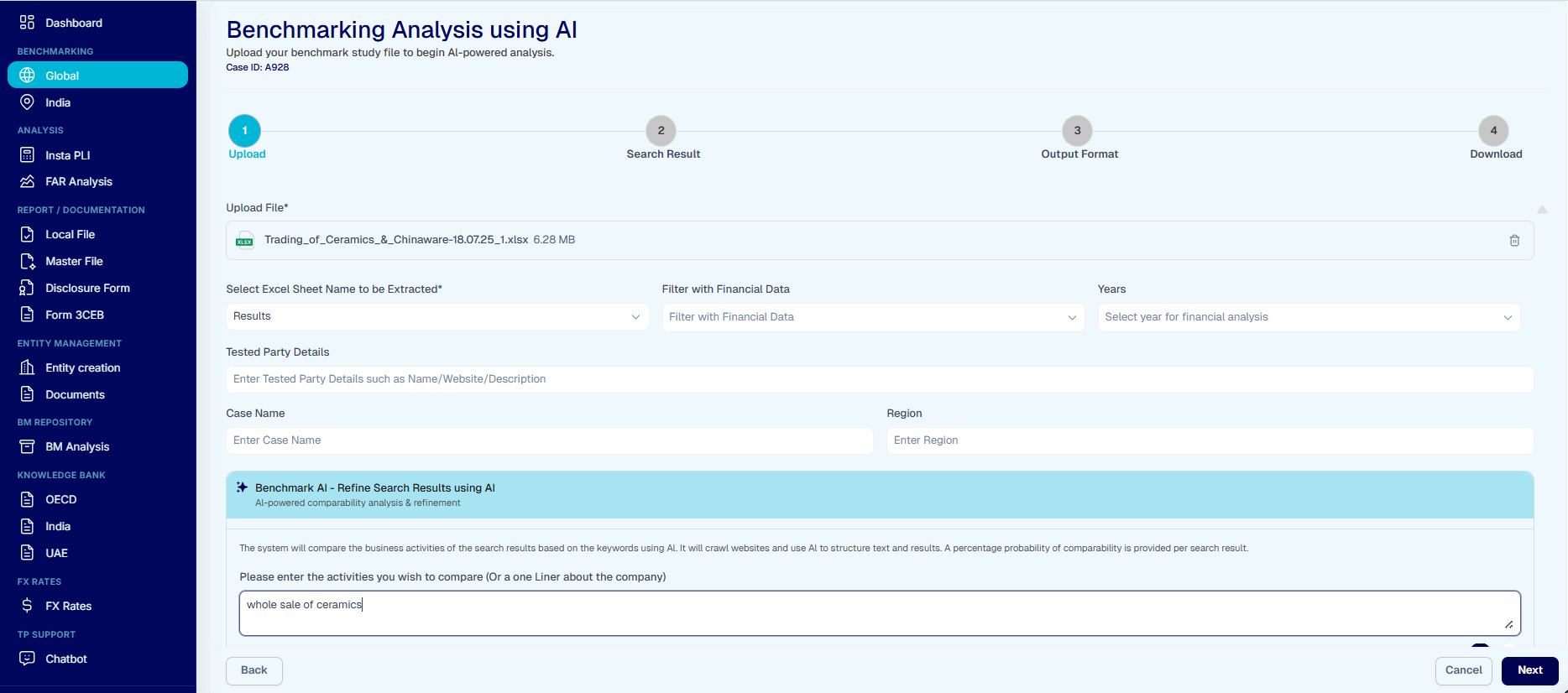
Step 1 — Upload: parse your TP Catalyst extract, enter tested party details, and let Benchmark AI refine search results.
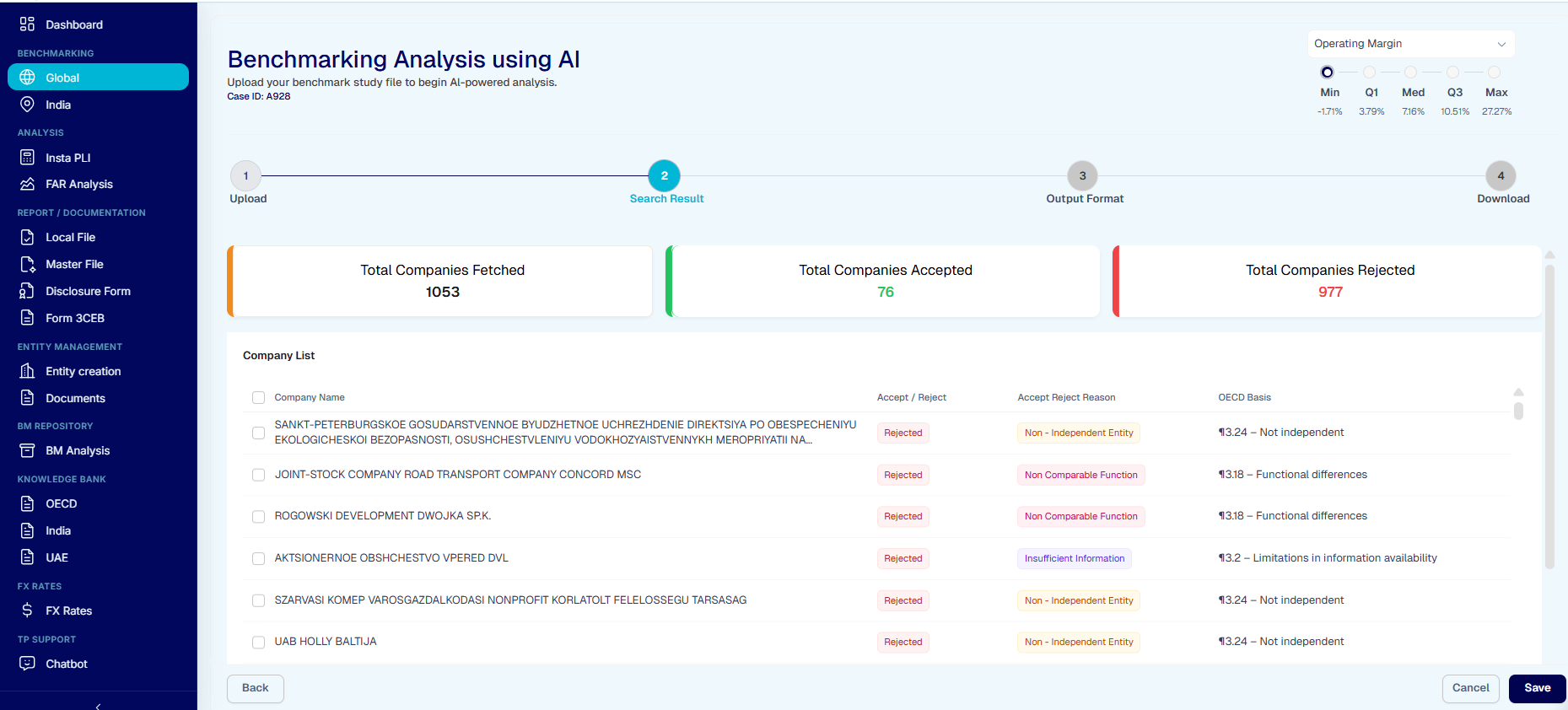
Step 2 — Search Result: review AI-classified companies with accept/reject status, reasons, and OECD paragraph references.
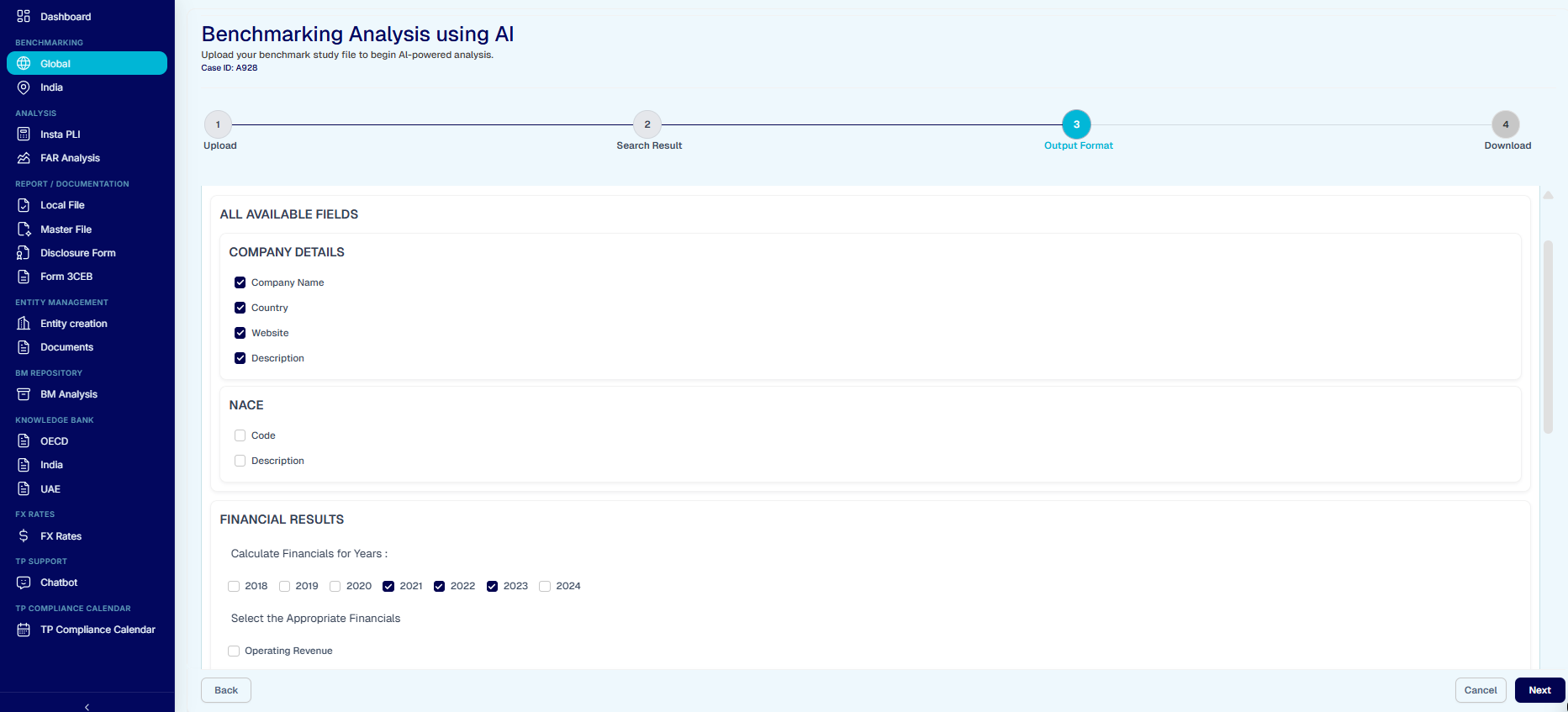
Step 3 — Output Format: choose which company details, NACE codes, and financial years to include in your final report.
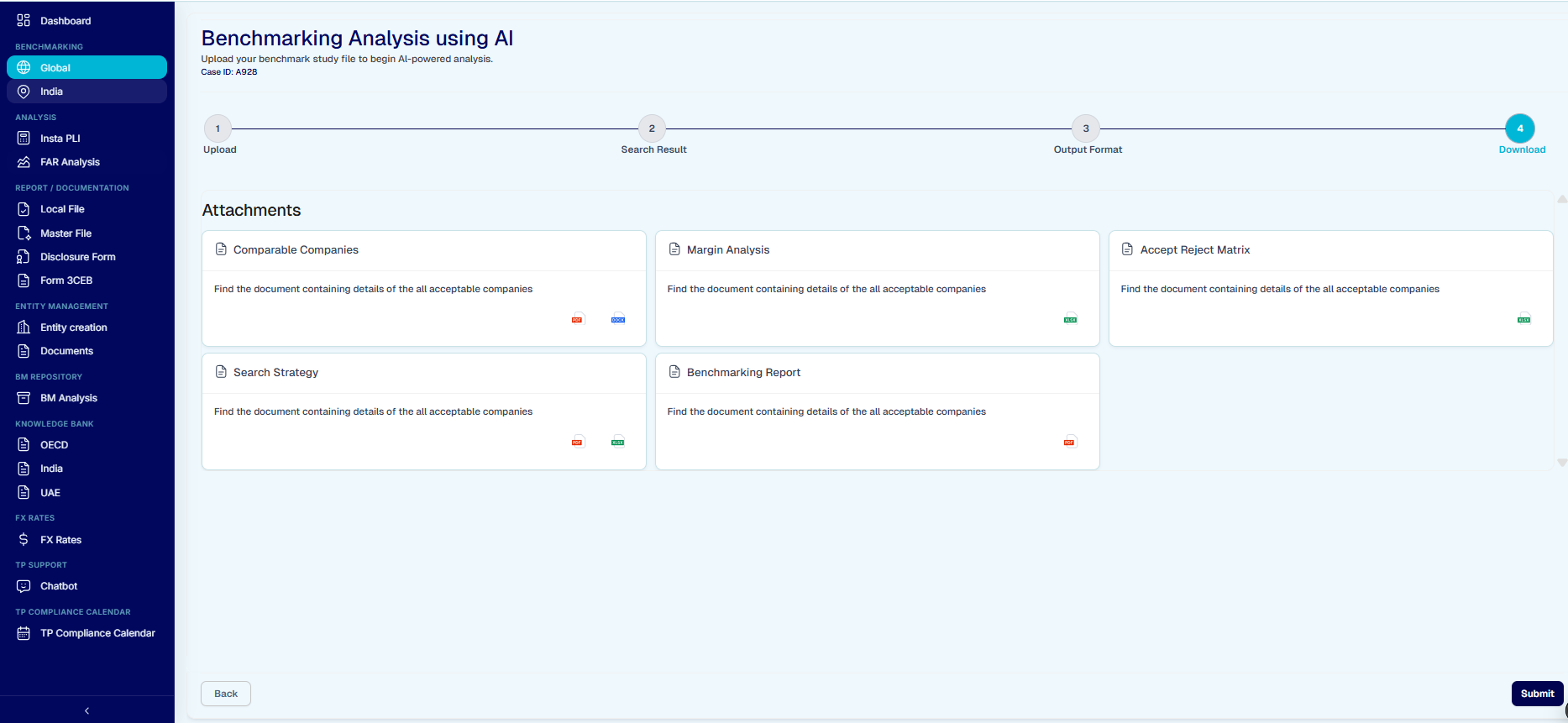
Step 4 — Download: access all generated attachments — Comparable Companies, Margin Analysis, Accept Reject Matrix, Search Strategy, and Benchmarking Report.
Key Capabilities
File Upload & Parsing
Upload TP Catalyst Excel extracts. The system automatically parses sheet names, financial data, and company metadata.
AI-Powered Accept / Reject
AI crawls company websites, compares business activities, and assigns accept/reject status with OECD paragraph references.
Real-Time IQR & PLI
View live interquartile range computations and PLI margins (Operating Margin, Berry Ratio, etc.) as results are refined.
Output Format Customisation
Select which fields to include — company details, NACE codes, financial results by year — and tailor the output to your documentation needs.
Downloadable Reports
Generate and download Comparable Companies, Margin Analysis, Accept Reject Matrix, Search Strategy, and full Benchmarking Reports.
4-Step Guided Workflow
Upload → Search Result → Output Format → Download. A clear step indicator keeps you on track throughout the analysis.